ga4_report
Grant accessActive users, new users, sessions, engagement time, sessions by channel group, and top pages — with week-over-week deltas and Google Ads spend folded in on request.
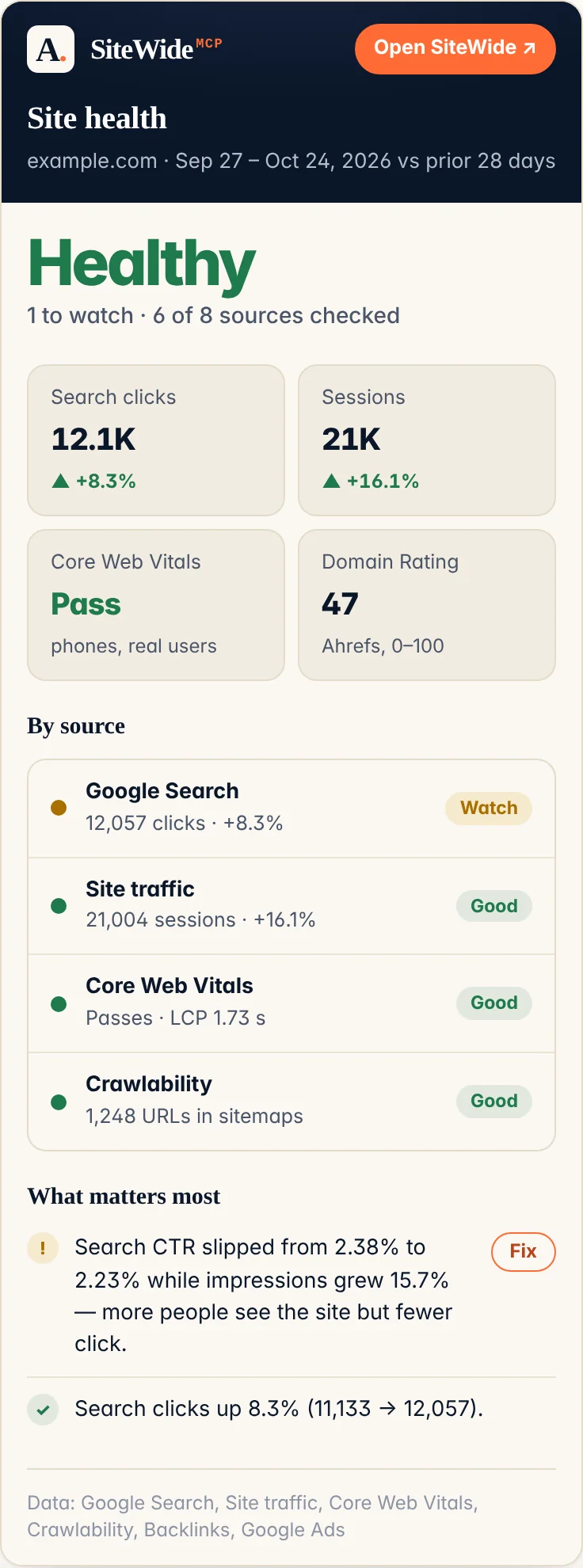
Connect your AI agent to every source that knows how your site is doing — analytics, search rankings, ad spend, crawl health, backlinks, speed. Forty-five tools behind one link, so the diagnosis comes back whole instead of one dashboard at a time.
Which pages lost rankings this month, were they slow, and are we paying for those clicks anyway?
Nine pages dropped more than three positions. Four of them fail mobile LCP — all four are the template with the hero video. You're also bidding on “acme pricing”, which still ranks #2 organically: $1,840 last month for clicks you were getting free.
Not a wrapper around an API playground. Every tool here exists because answering "which pages lost rankings," "is this ad spend wasted," or "did that launch tank Core Web Vitals" usually means logging into four dashboards and cross-referencing by hand — this collapses that into one connector.
What that means for you: every tool I ship next is already included in your subscription, no upgrade or extra charge required. And when something breaks, you get me directly — no support portal, no ticket queue, just a reply.
Four of the forty-five tools, with the shape of a real answer — numbers below are made up for illustration, not pulled from any live account.
“How did organic traffic do this month vs last?”
| Metric | This month | vs last |
|---|---|---|
| Sessions | 12,480 | +14% |
| Users | 9,214 | +11% |
| Avg. engagement time | 1m 42s | +6% |
| Top channel | Organic Search | 58% of sessions |
“Which queries dropped the most this month?”
| Query | Clicks | Position Δ |
|---|---|---|
| best pickleball paddles 2026 | 812 | ▼ 4.2 |
| how to serve in pickleball | 340 | ▼ 2.1 |
| pickleball rules simplified | 205 | ▼ 1.6 |
“Is my homepage slow on mobile?”
| Lab Core Web Vitals | |
|---|---|
| Largest Contentful Paint | 3.4 s |
| Total Blocking Time | 210 ms |
“Are my technicals actually healthy?”
| Finding | Pages | Confidence |
|---|---|---|
| Title truncated in the SERP (over 60 chars) | 34 | Confirmed |
| Meta description missing | 12 | Confirmed |
| Noindex page listed in the sitemap | 3 | Confirmed |
| No H1 in the server HTML | 8 | Hypothesis |
Every finding carries a severity, the affected URLs and a fix. “Hypothesis” is the connector declining to overstate: those eight pages carry a client-side framework marker, so the H1 may well exist once the page hydrates. Ask for a rendered crawl and it settles the question rather than guessing.
In your AI agent, you'd just ask the question in plain English — it picks the right tool, and often chains a few of these together for one answer.
You never call these by name — your agent picks the right one and chains them. None of this
runs on AI: every tool is a deterministic query, but several already do the filtering and
cross-referencing you'd otherwise ask for by hand —
ads_search_terms pre-filters to the terms that spent money
and converted zero times,
ga4_ad_cost lines spend up against organic queries, and
site_health hands back ranked findings rather than a table
you still have to read. Fewer calls for the agent, fewer tokens for you. Listed below so you can
see exactly what the connector reaches, and what it doesn't.
Active users, new users, sessions, engagement time, sessions by channel group, and top pages — with week-over-week deltas and Google Ads spend folded in on request.
Who is on the site right now, broken down by page, country, city, device, or platform.
Google Ads spend, clicks, impressions and CPC by campaign, ad group, keyword, or search query — with a day/week/month time series.
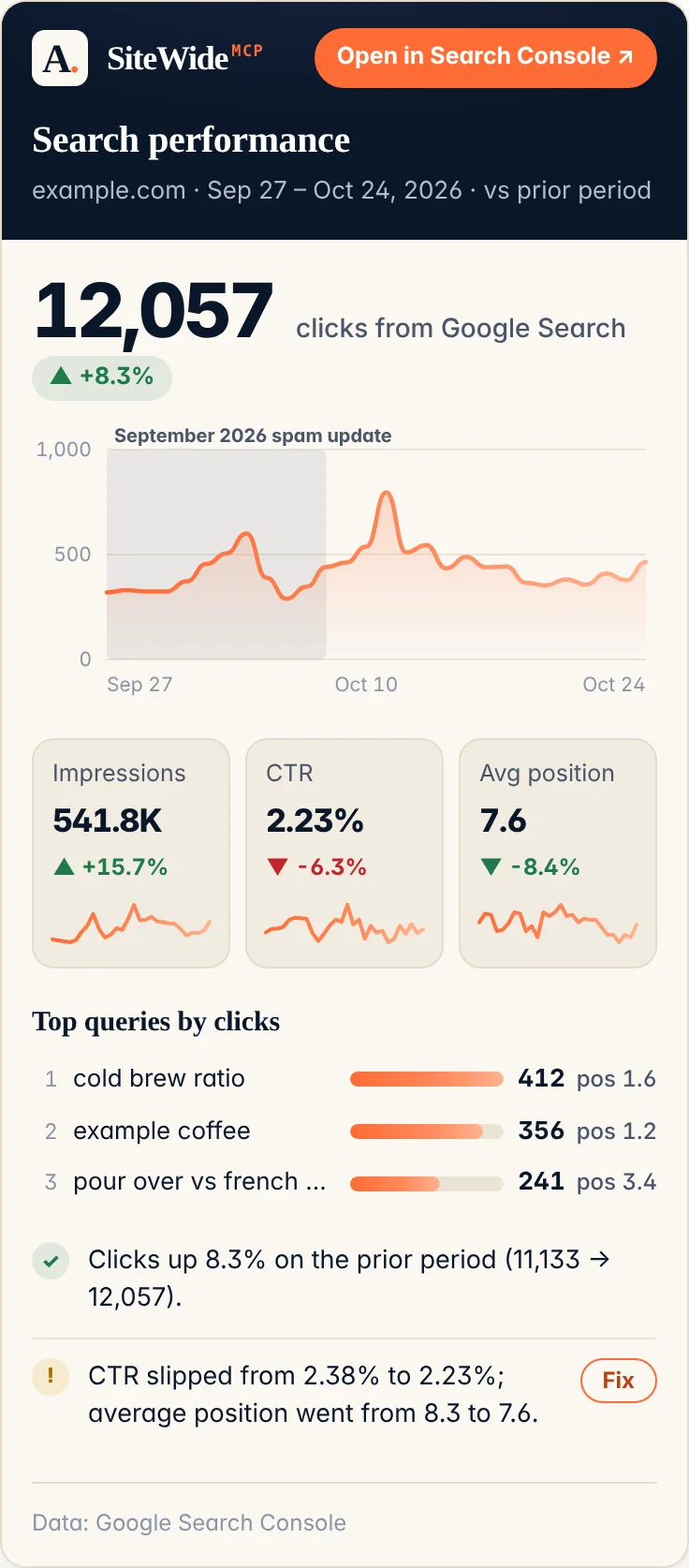
Clicks, impressions, CTR and average position, plus top queries and pages. Filter by query, page, country, device — across web, image, video, news, and Discover.
Is this URL indexed? Coverage state, robots and fetch state, last crawl, Google’s chosen canonical vs yours, mobile usability, rich results.
Submitted sitemaps, when Google last downloaded each, warnings and errors, and submitted-vs-indexed counts.
Top Bing queries with clicks, impressions and position. Copilot and part of ChatGPT’s web results run on Bing’s index, so this is visibility Search Console cannot show you.
Daily clicks, impressions, CTR and indexed-page counts from Bing Webmaster Tools.
How much of your site Bing actually holds, plus crawl errors, robots blocks, 404s and 5xxs. The tool that explains why you’re missing from Copilot answers.
Backlink-profile strength (0–100) for any public domain — yours or a competitor’s. Works out of the box, no Ahrefs account needed.
Crawl issues from your Ahrefs Site Audit project: health score, counts by severity, worst issues first. Needs your own Ahrefs key.
Keyword-level rankings from Rank Tracker: position, week-over-week change, volume, traffic, SERP features. Needs your own Ahrefs key.
The full SERP for one tracked keyword — every competitor’s URL with its own DR, UR and traffic. Needs your own Ahrefs key.
Competitive benchmarking against your tracked keyword set: stats, keyword overlap, top pages, top domains. Needs your own Ahrefs key.
Volume, difficulty, CPC, traffic potential and search intent for any list of keywords — no project needed, so you can research a market you don’t rank in yet.
Keyword ideas from one seed: matching terms, related terms, or the questions people actually search.
Domain-level organic traffic, keyword count, backlinks and referring domains for any site — yours or a competitor’s.
Every keyword a domain already ranks for, with position, volume, traffic and intent — unfiltered by anyone’s Rank Tracker setup.
Who actually links to a domain, with each linking site’s own strength — the report behind “how did they outrank us”.
Set up Rank Tracker yourself: create a project for your site. Idempotent — running it twice does nothing the second time.
Add keywords to a Rank Tracker project. Additive only — nothing here can delete your Ahrefs data.
Account totals over a range: spend, impressions, clicks, CTR, average CPC, conversions, conversion value, cost per conversion and ROAS. Reads the Ads API directly, so it isn’t limited to what GA4 imported.
Campaigns with budget, status, bid strategy and performance, ranked by spend.
What people actually typed, versus the keywords you bid on. Filter to terms that spent money and converted zero times — your negative-keyword list, written for you.
Keyword performance with quality score and all three of its components, so you can see whether the problem is the ad, the landing page, or the expected CTR.
The start-here check: crawls your site and returns findings, worst first — each with a severity, the number of pages affected, examples and a fix — plus a preview of how Google would truncate every title and description. No 0–100 score, on purpose.
The raw table behind those findings, a row per page: status and redirect chain, title and its length, description, canonical, H1s, robots directives, hreflang, word count, schema types, link counts, security headers and image attributes.
Every rule in your robots.txt, and specifically whether Googlebot, Bingbot, GPTBot, ClaudeBot or PerplexityBot are blocked. Flags the expensive mistakes — a blanket disallow, blocked CSS and JS, a missing sitemap line.
Your XML sitemaps, followed one index level deep: URL counts, how many lastmods are over a year stale, malformed entries, URLs pointing off-host, and whether any file breaks the 50,000-URL or 50 MB limits.
Fetches your /llms.txt and validates it against the llmstxt.org spec line by line — the file AI crawlers read to find out what your site is for.
The preview step. Reads what is on the page now and hands back every change it would make as a before-and-after with an id — and changes nothing until you say so.
Applies the changes you just reviewed, by id. It cannot write a value that was not shown to you first, and it records the old value on the way past.
Puts it back. Call it with an id to undo that change, or with nothing to see every change made so far — the undo log is browsable, not something you had to keep a receipt for.
Which of your posts and pages have a missing, truncated or duplicated SEO title and description — the worklist the fixes come from.
Everything currently set on one page — title, description, canonical, focus keyword, social fields, schema type — and which of them are writable on your setup.
Is WordPress actually reachable, and if not, which plugin or host setting is in the way? Names the specific blocker — a security plugin, a stripped auth header, a cache serving you the old value back.
Mobile versus desktop Core Web Vitals for one URL, already diffed: both form factors, real-user field data and lab data kept separate, and a plain statement of which device is worse and by how much.
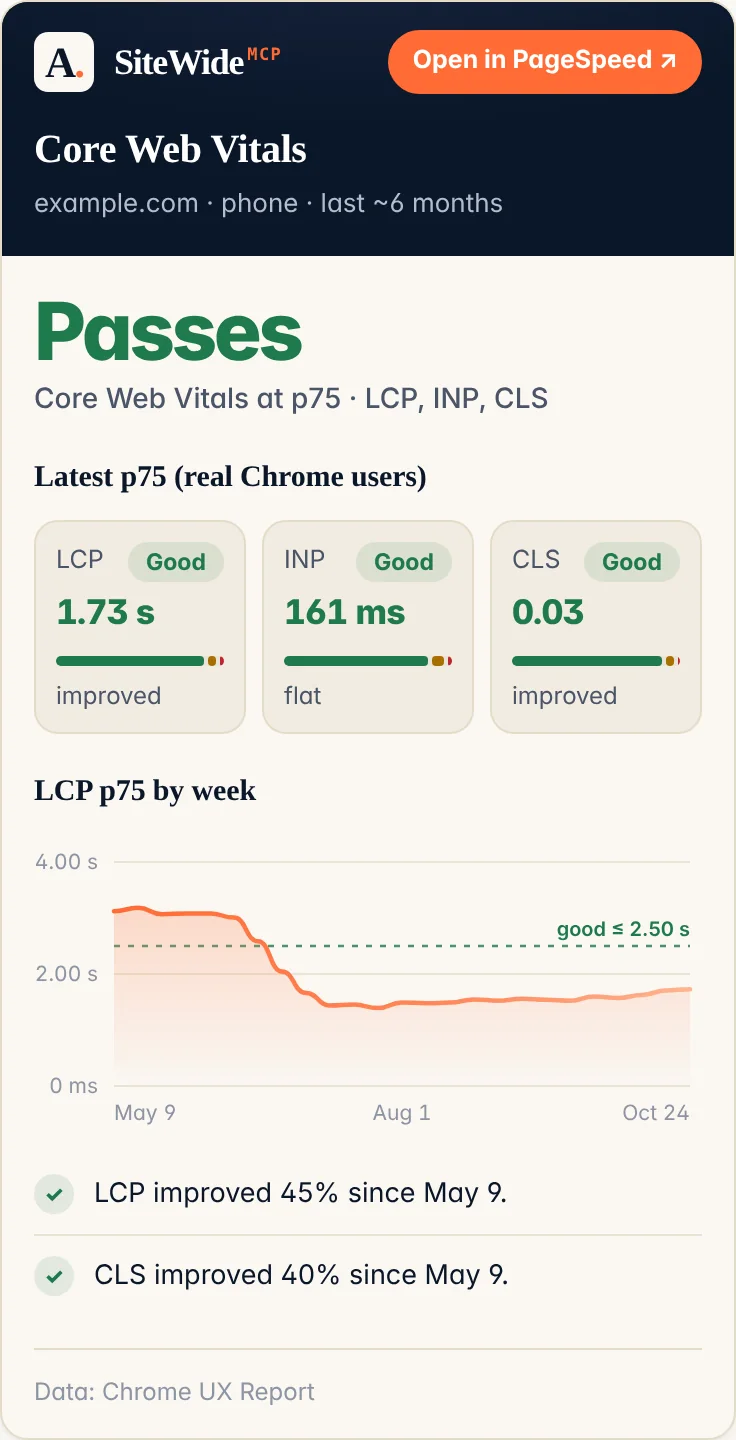
Six months of weekly Core Web Vitals from real Chrome users, with a trend verdict — and up to five sites per call, so you can put yourself next to four competitors. This is the data Google ranks on.
Lighthouse scores and lab Core Web Vitals for any public URL, including your competitors’.
The dates a page actually changed, from the Internet Archive — a change log, not a crawl log. Find the week a competitor repositioned.
What that page said on that date: title, meta description, canonical, H1s and a text sample.
Connects one of your own domains to your token by proving you control it, rather than by typing the name in and being believed.
What the connector can do and what is already wired up for your token specifically — every tool grouped by source, what each one still needs from you, and the questions worth asking first.
The sites connected to your token, with their property and account IDs.
Confirms each of your sites is wired up correctly and names the exact grant that is missing if not.
What you need before each tool works
Every one of the forty-five tools is included in the subscription — there are no paid tiers and no add-ons. The difference below is whose credentials the data comes out of.
[email protected] as a viewer — no Google Cloud project,
no JSON key, no billing details.
Not covered here
Want more Google Ads depth? The four tools above cover spend, campaigns, search terms and keyword quality scores. For campaign management and everything else the API exposes, Google ships its own official MCP server — see the Google Ads API docs. Mine reads your Ads account and never manages it — the only thing this connector will ever write to is your own site.
Need Meta Ads? Meta has one too — see the Meta Ads MCP overview.
Every other connector stops one step short. SiteWide finds the truncated title, proves in Search Console that nobody is clicking it, shows you the competitor outranking you — and then you alt-tab to WordPress and type the fix in by hand. That last step is now the connector's too: it writes the metadata back for you, on your own WordPress.
Which is a much bigger thing to ask you to trust than a connector that only reads. So here is exactly what keeps it safe. Every one of these is a property of the code — an allowlist, a stored previous value, a per-site switch — rather than a promise in a paragraph.
Title, meta description, canonical, focus keyword, social title and description, schema type, and the alt text on an image. That list is an allowlist, not a filter with exceptions — there is no code path that can send the body of a post, so the sentence at the top of this section is literally true rather than a policy I could change my mind about.
Two calls, never one. The first reads what is there now and hands back every proposed change as a before-and-after with an id. The second takes ids and nothing else — so your agent cannot write a value it did not first show you, because the applying step never reads a value out of its own arguments.
The previous value is recorded before the new one is written, so putting it back is one call. Ask what can be reverted and it lists it — the undo log is something you can browse, not something you had to have thought to keep a receipt for.
Not a plan tier and not a checkbox on your account: writing is enabled for one named site at a time. Connecting a site gets you reads and nothing else until you say otherwise, so a site you added to look at cannot become a site something edited.
A WordPress Application Password that you generate, held against your token — the same bring-your-own shape as the Bing and Ahrefs keys. It is scoped to the one install, and you can kill it from your own WordPress profile page in a click, without asking me and without cancelling anything.
When the crawler reports a missing title on a page that renders in the browser, it says hypothesis — the title may simply arrive with the JavaScript. As a finding that is a hedge in a sentence. As a write it would be a real title overwritten to fill a gap that was never there, so a change resting on one is blocked until the page has actually been rendered and checked.
Live Included, and off until you turn it on. Generate an Application Password in WordPress (Users → Profile), send it the same way as a Bing or Ahrefs key, and name the site you want writable. Until you do, the WordPress tools read and nothing else. It works with Yoast and Rank Math for the SEO fields; image alt text is core WordPress, so that one needs no plugin at all. No upgrade and no add-on — it is in the subscription you already have.
Two independent things, not five sequential ones. Grant access in whatever order suits you — none of it needs a connector URL. Subscribing and connecting your agent are in order, because the second step needs what the first one gives you.
Admin → Property access management → + → paste the address below → role Viewer → Add.
Settings → Users and permissions → Add user → same address → permission Restricted. Enough to read performance data; can't see or change your users.
For Copilot visibility. Bing has nobody to grant — generate your own key in Webmaster Tools → Settings → API Access and send it to me. One key covers every site verified on your Bing account.
Start the free trial below and enter your domain(s) at checkout. Your connector URL
lands in your inbox within a minute — no waiting on me. It looks like
https://mcp.alejandrorioja.com/?token=YOUR_TOKEN, with your own token in
place of the placeholder. That token only ever resolves the domains you gave it, and
the check runs on every call.
Any MCP client works the same way — paste in the URL from your email. Claude is what I use daily, so here's exactly how, plus the generic path for everything else:
Settings → Connectors → Add custom connector. Name it
SiteWide (letters, numbers, hyphens and underscores
only), paste your URL into the second field, and leave the OAuth fields under Advanced
blank. Save — the forty-five tools appear.
One command, in any project — swap in your own token:
claude mcp add --transport http SiteWide "https://mcp.alejandrorioja.com/?token=YOUR_TOKEN"
Add it as a remote server over Streamable HTTP at that same
?token= URL — no OAuth, no extra config. That's
the entire protocol requirement; if your client supports custom MCP servers at all,
this is everything it needs. If it insists on a header instead, send Authorization: Bearer <your-token> to https://mcp.alejandrorioja.com/ — the server takes either.
First two things to ask your agent: “what can you do?”, which calls
capabilities and comes back with every tool grouped by
source and what is already connected for your token specifically. Then “run health_check”, which
confirms both grants landed and names the exact one that is missing if something didn't stick.
Google's permission changes can take a few minutes to propagate, so if that fails immediately,
wait five and ask again.
Subscribe now and the first 30 days cost nothing. Stripe collects your card at signup but doesn't charge it until day 31 — cancel any time before then from the manage-subscription link in your receipt email and you're never billed.
analytics.readonly and webmasters.readonly scopes, which are read-only by definition. Grant Viewer in GA4 and Restricted in Search Console, and the connector could not change anything even if it tried. On your own site, only what you switch on. Out of the box every tool reads. Attach a WordPress Application Password and name a site as writable, and the WordPress tools can also change SEO metadata: title, meta description, canonical, focus keyword, social title and description, schema type, and image alt text. Never the body of a post — that is an allowlist in the code, not a policy. It shows you every before-and-after before anything is applied, records the previous value so there is a one-call undo, and runs on a credential you generate and can revoke in one click.domain_rating is free and public — it works immediately, no account of any kind. The rest read (and, for the two setup tools, write to) a specific Ahrefs account’s own projects and keyword data, so those need your own Ahrefs API key, generated under Ahrefs → API access and sent the same way as a Bing key. Ahrefs only issues API access on their paid plans, so unlike Bing’s this one isn’t free — that is their pricing, not mine, and I never charge for it. Skip it and those eleven tools just say they’re not connected; everything else works.Thirty days free, your domains entered at checkout, a connector URL in your inbox within a minute — and I genuinely want to hear what's missing.
Start the free trial →